Grace Between · App & support
A little help along the way.
Grace Between: Daily Prayer helps you make room for God in the middle of everyday life. Get to know the app, find an answer, or reach out for help.
Free for iPhone and iPad. Optional in-app tips.
Get in touch
support@dmcmgp.comInclude your app version (More → About → Version), your iPhone or iPad model, and what happened. Please don’t send passwords, payment-card details, or sensitive prayer or journal entries.
This inbox is for app support and privacy requests. It is not a crisis service or a staffed prayer hotline.
A quiet moment. An everyday faith.
A little room for God.
Prayer, Scripture, and reflection for the life you’re already living.
Some days you have time to sit with Scripture. Other days, you have thirty seconds between everything else. Grace Between is a Christian prayer app that helps you turn those moments toward God.
Set a gentle reminder, take a guided prayer pause, read a Bible story, or put a thought into your journal. Begin where you are, and return whenever you need a moment with Him.
- Made for iPhone and iPad
- Free, with no ads or required subscription
- Core features work without an account
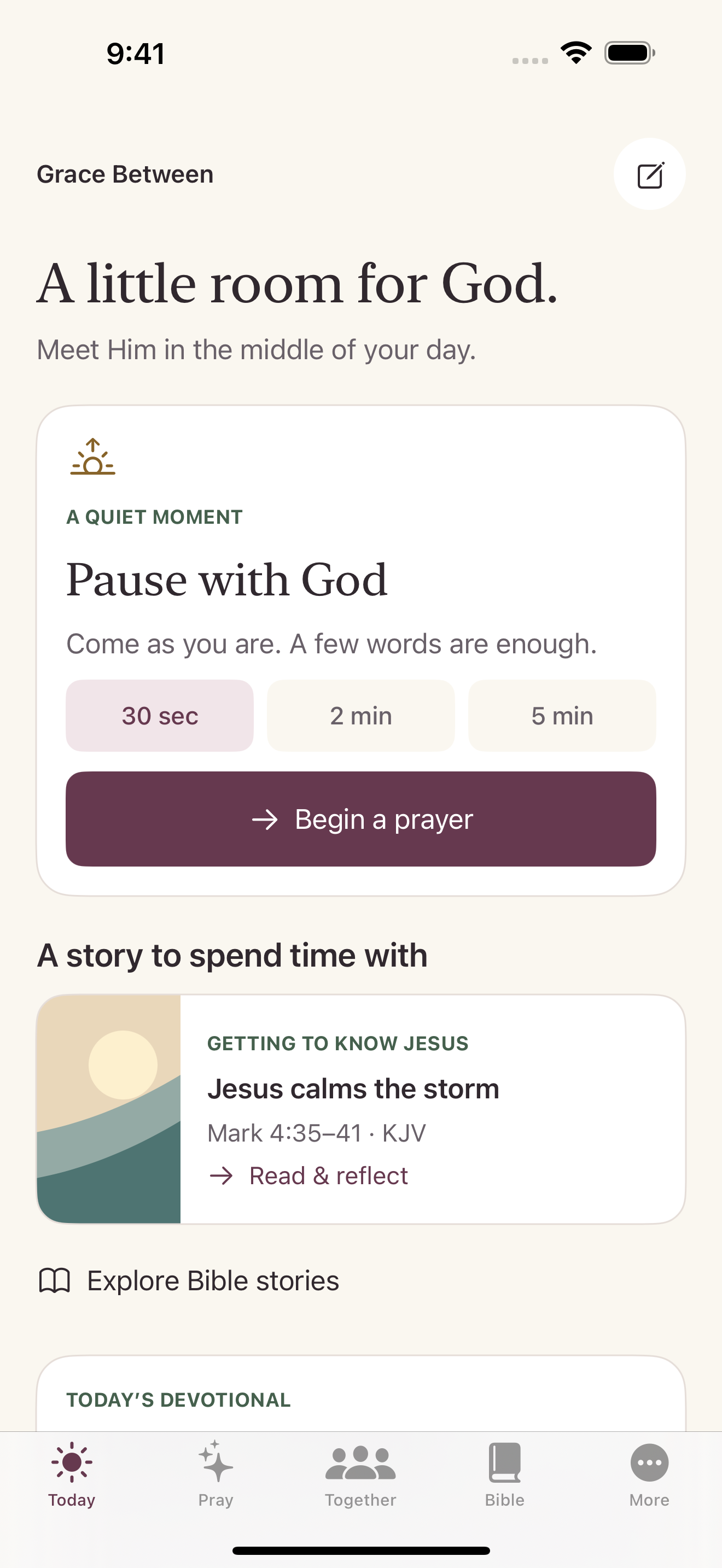
Small ways to draw closer.
Prayer in the pauses
Choose reminder times that fit your day. Guided pauses offer space to pray for thirty seconds, two minutes, or five minutes, with an optional timer.
Bible stories to sit with
Read a story, reflect on its meaning, and respond in prayer. Open the full Bible chapter or carry your thoughts into a journal entry.
Scripture wherever you are
Explore the complete King James Version Bible offline. Search passages and pick up where you left off, even without an internet connection.
Encouragement for today
Spend a few minutes with an original devotional. Each reading invites you to slow down, reflect, and bring your everyday life before God.
A journal of your own
Write prayers, gratitude, and reflections in a journal stored on your device. Your entries aren’t shared with the community, synced to an account, or sent to AI.
Pray alongside others
With an account, share a prayer request, offer encouragement, and let someone know you prayed. Return to share an update or an answered prayer.
Created to encourage a daily walk with Christ. All glory to God.
Common questions
My reminders aren’t appearing.
In the app, open More → Prayer reminders. Make sure reminders are enabled and your times are saved. Then check Settings → Notifications → Grace Between on your device. Focus and notification settings can affect when alerts appear.
I haven’t received my confirmation email.
Check Spam or Junk as well as your inbox. Return to the account screen to resend the confirmation when the resend timer allows it. Open the newest confirmation or password-reset link on the device where you use the app.
Where is my journal saved?
Your journal is stored on this device. It is not synced to your account, shared with the community, or sent to AI. Your device backup may include it, depending on your settings. Keep a backup before replacing your device or deleting the app.
Do I need an account or a subscription?
No account is needed for reminders, guided pauses, devotionals, the offline KJV Bible, private prayer writing, or your local journal. Community conversations and optional prayer memory need an account. There is no required subscription.
How do tips work?
Tips are optional, one-time Apple in-app purchases. No content or features are unlocked by giving. Review the amount in Apple’s confirmation before approving. A custom tip uses 1–10 units of the displayed increment; the app shows the total before checkout.
For an Apple purchase refund request, visit Apple’s Report a Problem page. Refund decisions are handled by Apple.
How do I report a community concern?
Use the report or block controls on the request or reply. For an app safety concern, email support with a description; avoid repeating sensitive details about other people. Community replies are visible to members, not private messages, and are not monitored as an emergency service.
How do I delete my account?
Open More → Account → Delete account and follow the confirmation steps. Apple-linked accounts ask for fresh Apple confirmation. Online account deletion does not erase your separate device-local journal; delete journal entries in the journal if you also want those removed.
If you cannot access your account, email support@dmcmgp.com from your account email address. We may need to verify account ownership before helping with a data request.